

Hey, you got this. Finding an error on your Equifax credit report can feel like a major setback, especially when you’re working hard to build or rebuild your credit. It’s frustrating, and it’s easy to feel like the system is working against you. But here’s the good news: you have the power to fight back, and we’re here to walk you through it, step-by-step.
An error on your report—whether it’s a late payment that wasn’t late or an account that isn’t even yours—can drag your credit score down, making it harder to get approved for a credit card, a car loan, or even an apartment. Fixing these mistakes is one of the most powerful moves you can make on your credit journey. This guide will show you exactly how to challenge those errors with Equifax and get your report cleaned up for good.
How Do Mistakes Even Happen?
You might be wondering how your report got messed up in the first place. It’s more common than you think—a study from the Federal Trade Commission (FTC) found that one in five people has an error on at least one of their credit reports. These mistakes usually fall into a few categories:
- Identity Errors: This is when your personal information is wrong. It could be a simple misspelling of your name or an old address, but it can also be a major problem like having your file mixed with someone else’s who has a similar name.
- Incorrect Account Status: This happens when the details of an account are wrong. For example, an account you paid off and closed might still be listed as open, or you might be listed as the owner of a card when you’re just an authorized user.
- Data Management & Balance Errors: Sometimes, the numbers are just plain wrong. An account might show an incorrect balance or credit limit, or the same debt might be listed twice (a duplicate), making it look like you owe more than you do.
- Fraud or Identity Theft: This is the most serious type of error. If a criminal uses your information to open new accounts, those fraudulent accounts can show up on your report and do serious damage.
Before You Start: Your Dispute Prep Checklist
Before you roll up your sleeves and file that dispute, a little prep work will make the whole process smoother and much more effective. Think of it as gathering your tools before starting a project.
Here’s your checklist:
- Get a fresh copy of your Equifax report. Don’t rely on an old one. You want to work from the most current information. You can get free weekly reports from the official site:(https://www.annualcreditreport.com). Download and save a copy.
- Clearly identify every error. Go through the report with a highlighter or pen and circle every single piece of information you believe is wrong. Give each error a number so you can refer to it easily in your dispute letter.
- Gather your proof. This is your evidence. The more proof you have, the stronger your case will be. Collect copies of any documents that support your claim. Never send your originals!
- Proof of Identity: A copy of your driver’s license, state ID, or Social Security card.
- Proof of Address: A copy of a recent utility bill, bank statement, or rental agreement showing your name and current address.
- Proof of Payment: Canceled checks, bank statements, or credit card statements showing you paid a bill on time.
- Letters from Lenders: Any correspondence from a lender or creditor that confirms an account was paid off, closed, or corrected.
- For Identity Theft: A copy of your FTC Identity Theft Report or a police report.
Pro Tip: Create a Paper Trail
From this moment on, keep a dedicated file for your dispute. Whether you dispute online or by mail, save copies of everything you send to Equifax and every response you receive. Keep dated notes of any phone calls, including who you spoke to and what was said. This organization is your best friend if the process takes longer than expected or if you need to escalate your case later.
Method 1: Filing Your Dispute Online
The fastest and most convenient way to file a dispute with Equifax is through their online portal. This method allows you to upload your supporting documents directly.
- Official Equifax Dispute Portal: myequifax.com
Step-by-Step Online Dispute Walk-Through
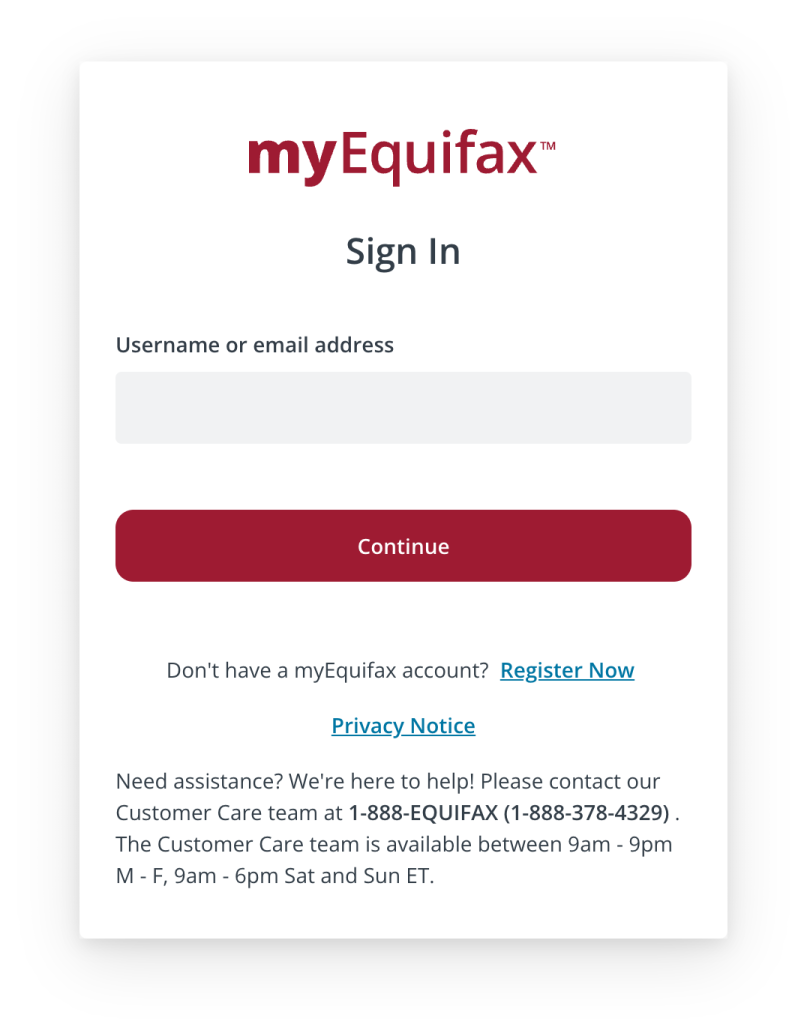
- Create or Log In to Your Account: Go to myequifax.com and either sign in or create a new, free account. You’ll need to provide some personal information to verify your identity.
- Navigate to the Dispute Center: Once logged in, look for a link or button that says “Submit a Dispute” or “Dispute Center”.
- Select the Item to Dispute: Your credit report will be displayed, usually broken down into sections like Personal Information, Accounts, and Inquiries. Find the specific item you want to challenge and select it.11
- Choose the Reason for Your Dispute: The system will give you a list of reasons to choose from (e.g., “Not my account,” “Account status is incorrect”). Pick the one that best describes your situation. You may also have a text box to add a brief explanation.
- Upload Your Proof: This is where you upload the digital copies (scans or clear photos) of the supporting documents you gathered earlier. Attach all the proof you have for that specific error.
- Review and Submit: Carefully review your entire dispute—the item, the reason, and your uploaded documents. Once you’re sure everything is correct, submit it. You should receive a confirmation number; save it!
Method 2: Filing Your Dispute by Certified Mail
For more serious errors or if you want the strongest possible paper trail for legal reasons, sending your dispute by mail is the gold standard.
- Official Equifax Dispute Form: You can download the form directly from Equifax here: https://assets.equifax.com/assets/personal/Dispute.pdf
- Correct 2025 Mailing Address: Equifax Information Services LLCP.O. Box 740256Atlanta, GA 30374 13
Sample Fill-in-the-Blanks Dispute Letter
You can write your own letter or use this template based on guidance from the Consumer Financial Protection Bureau (CFPB).
Equifax Information Services LLC
P.O. Box 740256
Atlanta, GA 30374
Re: Letter to Dispute Information on my Credit Report
To Whom It May Concern:
I am writing to dispute the following information on my Equifax credit report. I have enclosed a copy of my report with the incorrect items circled.
1. **Item in Dispute:**
**Account Number:** [Account Number listed on your report]
**Reason for Dispute:**
2. **Item in Dispute:** [Name of the second account or error]
**Account Number:** [Account Number]
**Reason for Dispute:** [Explain the second error and reference your proof.]
Please investigate these matters and remove the inaccurate information from my report as soon as possible.
Enclosed are copies of the following documents to support my claim:
* Copy of my driver’s license
* Copy of my recent utility bill
* [List any other documents you are including, e.g., “Copy of my bank statement from May 2025”]
Thank you for your time and attention to this matter.
Sincerely,
Why You MUST Use Certified Mail with Return Receipt
When you mail your dispute, don’t just stick a stamp on it. Go to the Post Office and send it via USPS Certified Mail with a Return Receipt.
- Certified Mail gives you a tracking number and proof that you mailed the letter.
- Return Receipt is a green postcard (or an electronic PDF) that gets signed by someone at Equifax upon delivery and is mailed back to you. This is your undeniable, legal proof that they received your dispute and when they received it. This paper trail is crucial if you ever need to take further action.
Method 3: Filing Your Dispute by Phone (Least Recommended)
You can also dispute errors over the phone, but we strongly advise against it as your primary method.
- Equifax Dispute Phone Number: 1-888-EQUIFAX (1-888-378-4329).
Watch Out: The Problem with Phone Disputes
The biggest issue with phone disputes is the lack of a paper trail.18 It’s your word against theirs. It’s difficult to prove what was said, what documents were discussed, or even that the conversation happened. If your dispute is simple (like a misspelled name), a phone call might work. But for anything involving money, payments, or potential fraud, you need the solid proof that online or mail disputes provide.
| Feature | Online | Certified Mail | Phone |
| Speed | Fastest method | Slowest method | Fast, but may have hold times |
| Record-Keeping | Good (save confirmation number & screenshots) | Excellent (your copies + return receipt) | Poor (no automatic record) |
| Document Submission | Easy to upload digital files | Easy to include paper copies | Cannot submit documents |
| Best For | Most common disputes; convenience | Serious errors; creating a legal paper trail | Very simple errors (e.g., address) |
What Happens Next: The Investigation Process
Once you’ve submitted your dispute, the clock starts ticking. By law, Equifax generally has 30 days to investigate your claim.
Here’s what goes on behind the scenes:
- Equifax Reviews Your Dispute: They’ll look at the information and the proof you provided.
- They Contact the “Furnisher”: Equifax will contact the company that reported the information in the first place (like the bank, credit card issuer, or collection agency). This company is called the “furnisher.” Equifax forwards your dispute and asks them to investigate.
- The Furnisher Investigates: The furnisher must review its records and report back to Equifax.
- You Get the Results: Within about 30 days, Equifax must notify you of the results of the investigation in writing.
There are three possible outcomes:
- The Error is Corrected: Success! If the investigation finds the information was inaccurate, it will be updated or deleted from your report.
- The Information is Verified as Accurate: This happens if the furnisher tells Equifax their original reporting was correct. The item will remain on your report.
- Your Dispute is Deemed “Frivolous”: This can happen if you dispute the same item over and over without providing any new proof. If this happens, they don’t have to investigate, but they must notify you.
What to Do If the Error Isn’t Fixed
Don’t give up! If Equifax says the information is correct but you know it’s wrong, you have more moves to make.
- Contact the Furnisher Directly: Go straight to the source. Write a dispute letter (again, use certified mail) to the credit card company or lender that reported the error. Their address is usually listed on your credit report.
- Add a Statement of Dispute: You have the right to add a 100-word statement to your credit file explaining your side of the story. Anyone who pulls your credit in the future will see this note.
- File a Complaint with the CFPB: If you’re getting nowhere, it’s time to call in the cavalry. The Consumer Financial Protection Bureau (CFPB) is a government agency that supervises the credit bureaus. You can file a complaint online or by phone, and it’s free. The CFPB will forward your complaint to Equifax and work to get you a response.
- File online: www.consumerfinance.gov/complaint
- File by phone: (855) 411-2372
Frequently Asked Questions (FAQs)
1. Will disputing an error hurt my credit score?
No. Filing a dispute has no negative impact on your credit score. In fact, if the dispute is successful and a negative item is removed, your score is likely to go up.
2. How long does the Equifax dispute process take?
Equifax generally has 30 days to investigate and send you the results.19 If you submit online, you’ll get an email. If you submit by mail, you’ll get the results by mail.
3. What if I don’t have any documents to prove the error is wrong?
It makes it tougher, but you should still file the dispute. Clearly explain why you believe the information is wrong. The burden is on the furnisher to verify that their information is correct. This is especially true for accounts you don’t recognize at all.
4. Is it better to dispute online or by mail?
It depends. Online is faster and more convenient for most simple errors. Certified mail is slower but provides a stronger legal paper trail, which is better for serious, complex errors or if you think you might need to take legal action later.
5. What is a “furnisher”?
A “furnisher” is simply the company that provided (or “furnished”) the information to the credit bureau. It’s your bank, credit card company, auto lender, or a collection agency.
6. Do I have to dispute the same error with Experian and TransUnion?
Yes, absolutely. The three credit bureaus are separate companies that don’t share dispute information. If an error appears on all three of your credit reports, you must file a separate dispute with each one.
Take Control of Your Credit Today
Fixing errors on your credit report is a huge step toward financial freedom. It takes a little effort, but you can do it.
Now that you know how to clean up your past, let Money Fox help you build a better future. Check out our free credit-building tools and sign up for our newsletter for more friendly, no-jargon tips delivered right to your inbox.
This article is for educational purposes and not legal advice. If you are dealing with a complex credit reporting issue, you may want to seek assistance from a qualified attorney.
Leave a Reply